I would choose the Brand Radar route that answers your next buying concern. Research and recurring tracking are both useful, but your team may only need one.
I think the first decision with Ahrefs Brand Radar is quite simple: do you want to explore a category, or do you want to keep checking the questions you already care about? Ahrefs sells both, but you don't have to buy both.
For an SEO team trying to understand which competitors get into AI answers and which pages get cited, the research index is useful. For a team that already has its buying questions, I would look at custom tracking first. It can cost less than a dedicated tracker for the same panel, so I wouldn't rule it out on price.
If you're an agency, you also need to think about what your client receives. White-label reports help with that part. But first you need an answer that matters to the client, and a clear reason for the work you recommend.
Ahrefs Brand Radar for competitor research
Ahrefs' research index gives you existing answers to explore before you write a monitoring list. It contains more than 400 million search-backed prompts, and there is no cap on the brands or domains you can analyze.
The useful metric depends on what you want to explain. A brand mention tells you that the answer names the company. A citation identifies a source used in the answer. Those can lead to different work: your brand might appear while the answer cites an external page, or your website might be cited without the answer recommending your product.
For a content decision, I would go into the cited pages rather than stop at the domain count. A domain can cover many subjects; the individual page tells you whether the evidence is relevant to the buying concern. For a brand-presence question, begin with mentions and read how the answer describes the brand. Being named is not automatically being recommended.
Say you're researching CRM software for a small sales team. This is a hypothetical investigation, not a customer result. Comparing every answer about CRM would mix too many situations. A company looking for a simple sales pipeline has a different problem from one replacing a large enterprise system.
Av. António Augusto de Aguiar 122C 1050-046 Lisboa, Portugal
Minnesota
202 N Cedar Ave, Suite 1 Owatonna, MN 55060, USA
I would narrow that investigation like this:
Keep the same competing brands in the comparison, so changing the comparison group doesn't change the question halfway through.
Use the market or niche and location filters to focus on the buyers you serve.
Filter relevant prompt or response text around the buying concern, such as an integration the team needs.
Open the matching answers and cited pages before deciding whether the gap belongs in your content plan.
The index has response filters as well as competitor configuration. That makes it useful for an analyst who needs to get from a broad category to an identifiable source. It still needs your judgment. If the cited page serves a different kind of customer, copying its coverage could make your own positioning less clear.
What would you assign from that finding? Suppose a cited competitor page explains an integration, and your product supports that integration but your own page leaves the setup unclear. The task could be to improve the existing product or integration page with an accurate explanation. It doesn't have to be another review article.
Give the writer the buying question and the exact source page. Explain the information your page needs to supply, and have the product owner confirm the integration details. If your product doesn't support the requirement, the finding is a fit issue rather than a writing task. More content won't fix it.
If the relevant citation comes from an independent comparison, assess whether the publisher's coverage is accurate before considering outreach. An external source gap needs a different owner from an incomplete product page. After the work, monitor the same buying question so the report can show what changed in the answer. A completed task and an improved AI result remain separate observations.
Search Demand and Web Visibility add another angle to that investigation. Search Demand gives you search context for the brand; it isn't observed demand for the exact chatbot question. Web Visibility gives you wider web context beyond the collected AI answers. I would use those signals to decide whether an apparent AI gap deserves more investigation, rather than treat all three views as interchangeable scores.
They also run on different clocks. Search Demand refreshes every few days, while Web Visibility refreshes every few minutes. If you're comparing their movement with the monthly chatbot index, keep the dates attached. An SEO lead already working across these signals has more reason to value the connected suite than a team that only wants to watch a fixed panel.
The adjacent-channel indexes can help when the investigation extends beyond website pages:
YouTube visibility covers video mentions.
TikTok visibility adds another video channel to the research.
Reddit visibility covers threads appearing in search results.
I would use the Reddit view to investigate which relevant discussions are visible in search, rather than interpret it as a count of every Reddit conversation about the brand. Likewise, video visibility can point you toward a subject worth reviewing, but it doesn't show that a particular video trained an AI platform or caused a recommendation.
Those indexes are free during beta for Lite-or-higher subscribers. When an index leaves beta it becomes a chargeable add-on. For an SEO analyst already on an eligible plan, that is useful additional discovery scope. I wouldn't build a long-term budget around beta access remaining free.
Where will your team investigate the finding? I would use Ahrefs Brand Radar vs Semrush AI Visibility Toolkit if wider SEO analysis is part of the job. It compares the research and daily-panel scope, and what another colleague needs to access the work. That is a different question from finding the cheapest tracker.
Ahrefs Brand Radar data and limitations
The index measures a collected sample, so its share of voice is not the percentage of all real AI conversations that mention your brand. I think that's an important distinction if you're going to explain the result to a client.
Ahrefs derives chatbot questions from People Also Ask data in its keyword database and collects answers without stored personal context. Google's AI answer indexes also use search queries. The Brand Radar overview explains that scope.
A person asking a broad software question can get a different answer from someone explaining their company size and the integration they need. The broad sample helps you discover the category. Your own panel helps you follow the more specific buying situations.
The collection schedules differ:
Broad chatbot research index: monthly.
AI Overviews index: every few days.
Custom tracking: daily collection is available.
So, when you see a change, keep the dataset clear. A monthly index movement and a daily panel movement aren't the same observation.
The dashboard also offers estimated impressions. Estimates aren't observed website visits or sales, so I wouldn't use that chart as the client's traffic result. Use it to identify something worth investigating, then open the answers behind the finding. Keep the platform and comparison scope consistent when reading the time-series charts; otherwise a change in the view can look like a change in performance.
History has a boundary too. AI chatbot source history starts in May 2025, while AI Overviews history starts in August 2024. That gives existing-index research a historical starting point, but it doesn't give a newly added custom question an instant past. If your client wants to compare a campaign with an earlier period, first establish which dataset actually covers that period. Don't fill a missing custom baseline with a broader index percentage.
I would use the index to find useful questions and sources. I wouldn't turn its percentage into a claim about the whole AI market, or treat a different number from another prompt set as proof that Ahrefs missed a known percentage of answers.
Ahrefs Brand Radar custom prompt tracking
Custom prompts let you choose the questions and locations that matter to your buyers. I would set up the report around a defined buying concern, so everyone reading it knows what the panel is meant to answer.
The initial setup needs a saved report first:
Save the brand report with its website and relevant competitors.
Add the commercial questions you want to keep checking, with the location and platforms needed for each.
Apply tags that make the questions useful to the people reviewing them, such as comparisons or integration concerns.
Set the collection frequency to match how often the team will review and act on the results.
Custom data can take up to 24 hours to appear after adding the prompts. Leave room for that first collection before promising a client a populated report. Generated prompt ideas can help with discovery, but review them against the actual customer problem before giving them a permanent place in the panel.
Available schedules are:
Daily.
Weekly.
Monthly.
You can buy that route separately, without the research index.
Ordinary platform choices include:
ChatGPT.
Perplexity.
Gemini.
Copilot.
Google AI Overviews.
Google AI Mode.
Claude is available for custom prompts through its API with web search. It uses eight checks per update and is not a Claude research index. New Grok collection is paused.
The Claude detail matters to the bill.
Hypothetical Claude-only panel
Scope or result
Brand
One
Location
One
Unchanged questions
20
Platform
Claude API with web search
Schedule
Daily over 30 days
Planned executions
600
Checks per execution
Eight
Calculated check consumption
4,800
That exceeds Basic's allowance. It also means you're collecting API answers with web search, rather than measuring every personalized conversation in the Claude application.
I would keep the main buying questions stable. You can explore new subjects separately, then decide whether they deserve a permanent place. Otherwise you keep changing the panel and eventually the report stops answering the question that made you start tracking.
Ahrefs Brand Radar pricing
What does the entry panel cost? Custom Basic starts at USD 50 a month, with research index access purchased separately.
Purchase
Monthly USD price
Custom Basic
$50
One research-platform index
$199
All-platform research index
$699
The all-platform research purchase includes 2,500 custom checks. Regional prices can differ.
Custom package
Monthly USD fee
Checks/month
USD extra-check rate
Basic
$50
2,500
$0.020
Growth
$100
7,000
$0.015
Scale
$250
25,000
$0.010
One ordinary question execution on one platform in one location consumes one check. Claude has its separate weighting. The custom prompt guide explains optional overage.
With pay-as-you-go enabled, extra checks add to the bill. Without it, custom collection stops when the allowance runs out until the next billing month. Choose the setting that fits the account. A fixed spending limit is useful, but you need to know when it can interrupt the report.
Ahrefs doesn't offer a free trial. Paid Lite and higher SEO plans include a small custom allowance; Starter and free accounts don't.
The included monthly checks are:
Lite: 150.
Standard: 300.
Advanced: 600.
For an existing subscriber, I would use that allowance to evaluate a small, useful panel before paying for more tracking scope. Selecting more platforms or locations consumes it faster. It isn't the whole paid research index included for free, and I wouldn't assume these allowances stack with a separate custom package.
Search Demand needs Starter or higher; Web Visibility needs Standard or higher. These are suite gates, separate from the standalone Brand Radar purchase. Choose the research capability your analyst will use, rather than upgrade the SEO subscription just because the dashboard contains another view.
Unlimited analyzed brands doesn't mean unlimited colleague access to the SEO suite. Lite, Standard and Advanced suite plans include one user, with additional users charged separately. For a team sharing suite access, account for colleague seats separately from the client brands you investigate. That suite entitlement doesn't establish a standalone Brand Radar seat limit.
Ahrefs vs AI Peekaboo vs Otterly: tracking costs
Ahrefs Growth plus overage is the cheaper custom-monitoring purchase for the panel below. Moving straight to Scale would also cost more; its larger allowance is not needed for this workload.
Hypothetical ordinary-platform panel
Scope or result
Brand
One
Unchanged questions
100
Location
One
Schedule
Daily over 30 days
Platform count
Four, named below
Calculated ordinary checks
12,000
The panel uses:
ChatGPT.
Perplexity.
Google AI Overviews.
Microsoft Copilot.
Purchase
Monthly USD cost
What you get for this example
Ahrefs Growth plus overage
$175, calculated
$100 plus 5,000 extra checks at $0.015; custom tracking
Ahrefs all-platform index plus overage
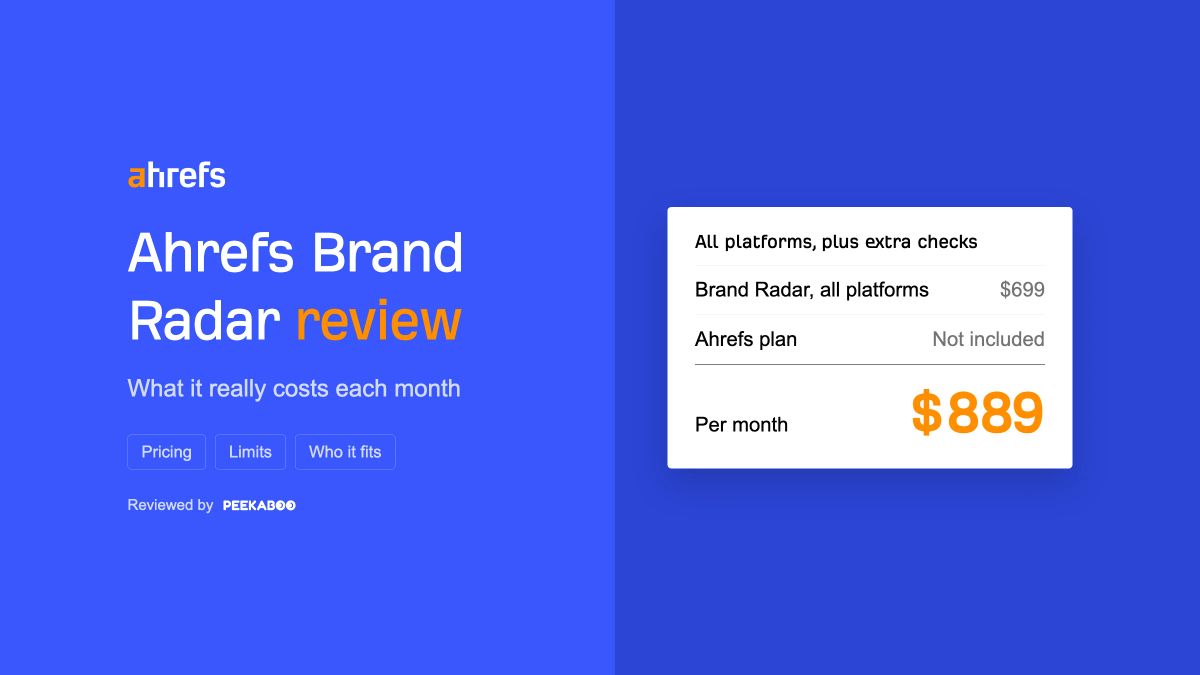
$889, calculated
$699 plus 9,500 checks at $0.020; research as well
AI Peekaboo
$200, calculated
Same standard-platform daily panel; reporting gate met
Otterly Standard
$189
Same 100-question daily panel on four included platforms
These totals don't include an assumed tax or an additional SEO suite. The USD 889 row buys broader research, so I wouldn't compare it with a tracker and say that is what Ahrefs monitoring has to cost. You can buy the smaller custom route.
The price advantage is real for this setup. If you choose another tool, the extra cost should buy something useful for the way your team works.
AI Peekaboo for agency reports and client work
Brand Radar is built for research. AI Peekaboo is the one I would reach for when your agency has to explain AI visibility to clients, turn it into client work and send the report out under your own brand. It pays off most when your team already writes the content and simply needs firm evidence about what to change next. What you give up is the big existing answer index Ahrefs gives you.
Picture a client asking why a competitor now gets named in Perplexity instead of them. You can open the answers that shifted and the sources they used, which gives you a real example to put on the screen and a specific page or source for your team to work on.
Key features
Hand clients a read-only link to their results, or send the data on to Looker Studio or your own reporting with the API.
Ask questions about your own tracked prompts from Claude Desktop or Cursor through AI Peekaboo's MCP server, rather than reading a fixed index.
Run each client brand as its own project with separate prompts, competitors and dashboard, and open the AI answers and cited sources behind any score.
Decide which AI platforms to watch, up to 7: ChatGPT, Gemini, Perplexity, Google AI Overviews, Google AI Mode, Microsoft Copilot and Claude API.
Show prospects what you can do with unlimited pitch workspaces, all from one extra brand slot that you reuse for each prospect's brand.
Get prompt suggestions, recommendations and content briefs that point to the next prompts worth tracking and give writers a head start.
Plug in GA4 and Google Search Console to compare AI visibility with how your site traffic moves.
Pricing
Rather than buying a tier, you set the brands, the number of prompts per brand, the AI platforms (up to 7) and how often prompts run, and you see the price as you change each one. One rate covers ChatGPT, Gemini, Perplexity, Google AI Overviews, Google AI Mode and Microsoft Copilot. Claude API is charged at a higher rate, so check its cost before you include it. For example:
Brands
Prompts per brand
AI platforms
How often prompts run
USD monthly
5
30
3
Weekly
30
4
40
3
Weekly
32
10
40
2
Weekly
53
1
50
2, one of them Claude API
Weekly
70
1
50
3
Daily
75
4
50
3
Every 3 days
100
You choose which platforms to track, and any three standard ones cost what these rows show; only Claude API is priced higher.
Switch to annual billing and the monthly list price comes down by 15%.
Plans from $100 a month include white-label reports and client share links. The $200 four-platform daily panel in the cost comparison above clears that bar.
Your whole team can log in with no per-seat fee.
One account-wide setting decides how often prompts run, so all your clients share that schedule. Choose it before you put the plan together.
Who should choose it
AI Peekaboo is first of all for agencies that send branded AI visibility reports to several clients and need to show what changed and what comes next. A brand that just wants to learn if it shows up in AI answers, and what would help it show up more, can get that from it as well. If your agency already has a report-building process that works, Ahrefs can feed it through its API, MCP and Looker Studio, and pulling custom-prompt data through the API uses no API units. In that case its cheaper custom checks may be the better choice.
It is the wrong tool if you want finished articles, since it gives you briefs and your writers or a writing tool still produce the copy. Also check up front if a client wants city-level results in the same report, because local-tracking data does not come through standard exports or Looker Studio.
Otterly for daily AI visibility tracking
Otterly Standard is a sensible choice for a team tracking 100 questions daily on its four included platforms.
Standard includes:
USD 189 a month on monthly billing.
Unlimited team members.
Unlimited workspaces.
Its included platforms are:
ChatGPT.
Perplexity.
Google AI Overviews.
Microsoft Copilot.
Additional platform charges apply to:
Gemini.
Google AI Mode.
Claude.
Otterly gives the team several ways to deliver the findings:
Prompts and citations can be exported as CSV files.
Raw answers can be exported as CSV or JSON.
Brand reports can be downloaded as PDFs.
Standard includes the Looker Studio connector.
A lean SEO team can use those routes to pass the evidence to a colleague or build an existing report around the daily panel.
The Otterly review helps when you want to understand its dedicated monitoring and reporting workflow.
I can see the value in a direct daily bundle when those four platforms are the ones the team needs. Ahrefs is still cheaper for this example, and Otterly doesn't replace the wider research index. Choose the simpler routine if that is the part of the job that matters to you.
Should you choose Ahrefs Brand Radar?
Brand Radar is worth considering when your SEO team will investigate the answers and sources, or when you want to keep a defined commercial panel under observation. I would start with one of those jobs and add the other only when there is a clear use for it.
Pick a buying concern. Decide whether you need to discover the relevant questions, or already know what to ask and want to see the answer change. That gives you a practical reason to choose the index, custom tracking or both.
The free AI visibility checker can help with a first look: enter your domain for a one-time report using generated questions. Take the concern that matters from the report and define what you want to learn next. That's the decision I would make before buying a bigger subscription.
How we checked this
Last checked: 2 October 2026.
Prices and plan limits: each vendor's public pricing page. Features: vendor help docs and product pages.
Frequently asked questions
Can I evaluate Brand Radar with an Ahrefs Free account?
No, an Ahrefs Free account doesn't give you Brand Radar access. Ahrefs has no free trial, and the small included custom allowance needs a paid Lite-or-higher plan. If you already have that subscription, I would use the allowance on a buying question you understand well. If you don't, define the panel you need before paying; opening a free account won't let you evaluate it.
Do I need to upgrade my SEO subscription to buy Brand Radar?
No, Brand Radar is available as a standalone purchase, so you don't need a higher SEO plan just to start tracking. The reason to upgrade would be a separate research need: Search Demand requires Starter or higher, while Web Visibility requires Standard or higher. I would keep that decision separate from monitoring. Pay for the suite capability when your analyst has a job for it.
Can tracking prove that a content edit caused an AI recommendation?
No, a changed answer after an edit doesn't establish that the edit caused it. Keep the buying question stable and inspect whether the answer now uses the information you improved. That gives you something specific to discuss with the client. I would report the completed edit and the observed answer change separately, rather than turn their timing into a claim that the work caused the recommendation.
Start with your own visibility.
See where your brand appears in AI answers and which competitors get mentioned.
 Filipe Lins Duarte