AirOps Review: Plans, Pricing and the Real Task Cost
I would consider AirOps when the missing step is getting a useful page published after finding a gap in AI answers. Its workflows can carry that work, but your team still owns the evidence and editorial judgment. If your writers already deliver, I would buy measurement separately.
I would consider AirOps when the missing step is getting a useful page published after finding a gap in AI answers. Its workflows can carry that work, but your team still owns the evidence and editorial judgment. If your writers already deliver, I would buy measurement separately. The question is what work you need the system to take over.
For the measurement-only job, compare AI visibility tools by the scope your team will use.
What AirOps does with a tracked prompt
AirOps takes a gap it spots in AI answers and turns it into a published page, drafted in a Grid and approved by a person before it reaches your CMS. Tracking is only the input: AirOps runs a prompt like "best content marketing platform for B2B SaaS" daily and records whether you're mentioned or cited against competitors.
The Pages view then puts each URL's search clicks next to its AI citations, and you can filter the table. AirOps' own example keeps only pages whose clicks fell by 50% or more and that still have at least one citation.
I would use that filter to choose a page to investigate. Search Console provides the click trend, and separate answer collection provides citation evidence. The next question is whether the page needs a refresh and what useful material your team can add.
From there, the finding becomes work:
Opportunities turns findings into page and offsite recommendations you can send to a Grid.
Playbooks and Workflows carry page production according to the rules in your Brand Kit and the material in your Knowledge Bases.
Human Review and Approvals sit before anything goes live.
A CMS integration publishes the page: Webflow only on Solo, ten systems on Pro, including WordPress and Sanity.
Suppose your content team has several pages to refresh for one brand. Start with a configured Playbook or Workflow in a Grid, using the same Brand Kit and Knowledge Base. Have an editor review the first output and adjust the instructions before reusing the process for the remaining pages. Keep human approval before publication. I think that reuse is the stronger reason to build a workflow; one isolated draft may not justify the setup.
Your brand deserves to be the answer
Start free in 2 minutes. Pay per prompt. Cancel anytime.
Av. António Augusto de Aguiar 122C 1050-046 Lisboa, Portugal
Minnesota
202 N Cedar Ave, Suite 1 Owatonna, MN 55060, USA
What should you look at after publishing? I would separate the questions AirOps can help you investigate:
Mentions show whether your brand gets into the answers; citations show which sources the answers use.
Competitor views show who else appears, so you can investigate why they get recommended by AI.
Sentiment helps you examine how the answers describe your brand, beyond whether it appears.
Agent Analytics adds AI crawler activity. A crawler reaching your page doesn't prove it was cited, and neither a visit nor a citation proves revenue. Use those signals to decide what needs attention, rather than calling every increase a win.
That loop, from a slipping page to a published refresh, is the reason to buy AirOps. If your writers will work inside it, it's worth paying for. If they'll keep writing where they write now, most of it sits idle.
AirOps Content Review: scores and limits
Content Review catches drafts that break your brand rules or are hard to find and cite in AI search, but it can't supply the first-party insight only your team has. AirOps' own example shows the limit: a draft explaining the alternative minimum tax scores 67 out of 100 and gets 0 out of 5 for concrete first-party insights.
It grades each Playbook or Workflow output out of 100 before it reaches a human. Half the points are Brand Adherence, measured against your Brand Kit's writing rules. The other half is AI Discoverability, much of it plain SEO, like matching search intent and placing the keyword. I agree with that. AEO is a new term, but it's still part of search.
The first-party check is worth only 5 points, and it's the one I'd watch. I respect AirOps for showing a draft that scores zero on it. Click Apply and AirOps rewrites the flagged sections, with nothing saved until you approve it, but no rewrite can invent your customer examples or your results. AirOps' own advice is to upload first-party research to a Knowledge Base.
Scoring doesn't use tasks at the moment, so I'd switch it on either way. If your team has its own data to feed in, it's a useful editor's checklist. If it doesn't, I'd watch for recurring first-party insights gaps.
AirOps plans and brand limits
I would assess Pro for a small team producing pages for one brand. Solo serves an individual with narrower requirements. Enterprise is the option for more Brand Kits or tailored capacity, rather than a reason to exclude every agency from AirOps.
Plan scope
Solo
Pro
Enterprise
Production context
Individual, one brand or project
Small team, one brand or project
Tailored organizational work
AI answer tracking
ChatGPT
7+ engines
7+ engines
Tasks monthly
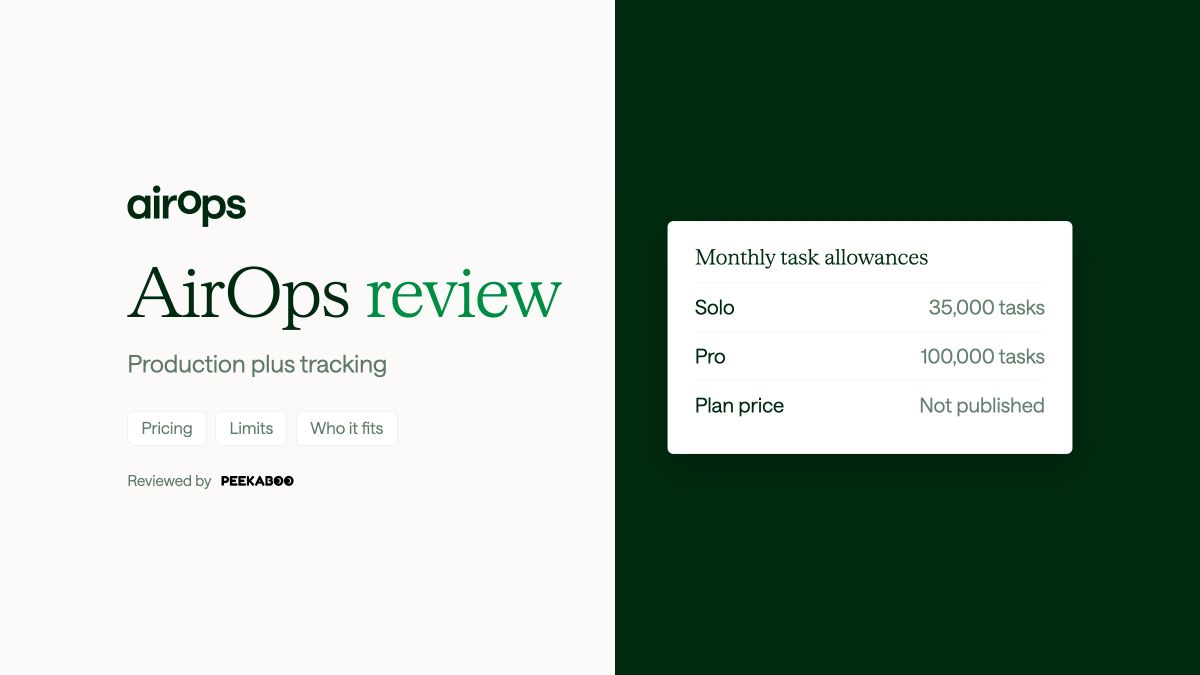
35,000
100,000
Custom
Brand Kits
1
1
Unlimited
Knowledge Bases
3
5
Unlimited
Seats
1
Unlimited
Unlimited
CMS connections
Webflow
10
Expanded
Single sign-on
No
No
Yes
Collaboration
No
No
Yes
Custom dashboards
No
No
Yes
Subscription fee
Unpublished
Unpublished
Tailored
Content Review
Yes
Yes
Yes
Human approvals
Yes
Yes
Yes
Version history
Yes
Yes
Yes
DataForSEO research
Yes
Yes
Yes
Moz research
Yes
Yes
Yes
Semrush research
No
Yes
Yes
Ahrefs research
No
Yes
Yes
AI Ads Insights
No
Yes
Yes
Social opportunities
No
Yes
Yes
Community opportunities
No
Yes
Yes
Support
Community and live chat
Community and live chat
Dedicated account manager
The Brand Kits row is the one that sorts buyers. AirOps pitches both self-serve plans at "one brand or project", and the Brand Kit holds the writing rules every draft follows. An agency with five clients needs five sets of rules, which means a sales conversation and a custom price before you've written a word for a second client.
Watch the engine count too. Pro says "7+", AirOps names eight engines in all, and Claude tracking "depends on your workspace plan and configuration". If Claude matters to you, get it confirmed before you sign, because each Claude Answer costs four tasks, compared with one for each of the five providers in the rate table. Copilot and Grok rates need confirmation.
So the plan question is really a brands question. A single-brand team publishing to WordPress or Sanity needs Pro, because Solo only publishes to Webflow. An agency should go straight to the Enterprise conversation or look elsewhere.
Solo and Pro include community and live chat support. Enterprise adds training and one-to-one expert onboarding alongside an account manager. For a team building recurring production, that help matters, but somebody inside the team still needs to own the workflow.
AirOps task costs for tracking
Tracking 100 prompts daily uses 9% to 150% of Pro's 100,000 monthly tasks across the four setups below, before AirOps drafts a word, when you're on combined task billing. Five standard platforms in one region with only the default persona take 15,000 tasks in a 30-day month, from the same balance the writing draws on.
Workspaces still on legacy Answer Credits keep tracking on a separate balance until their plan transitions. Under AirOps' billing rules, these settings increase usage:
Extra regions.
Named personas.
Claude, at four tasks per answer instead of one.
The worked examples use these provider rates under combined task billing:
Provider
Tasks per answer
ChatGPT
1
Gemini
1
Perplexity
1
Google AI Mode
1
Google AI Overviews
1
Claude
4, if available for the plan and configuration
These rates define the examples. They do not establish a Microsoft Copilot or Grok multiplier.
All four configurations use 100 prompts tracked daily over a 30-day month. They leave different amounts of Pro's allowance for production:
Tracking setup, 100 prompts
Tasks a month
Share of Pro's 100,000
3 standard platforms, 1 region, default persona
9,000
9%
5 standard platforms, 1 region, default persona
15,000
15%
5 standard platforms, 2 regions, default plus 2 named personas
78,000
78%
The third setup plus Claude
150,000
150%
The jump from the second row to the third is the one to plan for. A second country and two personas leave 22,000 tasks for everything AirOps is meant to write. Add Claude and tracking alone runs 50,000 tasks past Pro's allowance before a single draft.
That's why the prompts you track are the foundation of everything. AirOps offers a Prompt Volume figure to help you choose, and I'd treat it the way I treat every prompt volume number: it's an estimate, not proof that people asked that exact prompt. Your Search Console queries are factual, and they're a better source for the questions worth paying to track.
Set one guardrail before you start. Protect Answers Tracking reserves the tasks monitoring needs; without it, monitoring can stop when the balance runs out.
If your setup looks like the first two rows, Pro leaves plenty for writing. If it looks like the third or fourth, you're buying a tracker with a small writing budget attached, and I'd price that against a dedicated tracker before signing.
AirOps pricing and free plan
I would confirm the paid fee before deciding whether AirOps earns its place. Solo and Pro subscription fees are unpublished, while Enterprise pricing is tailored. Solo additional tasks cost $0.025 each (pricing page). Pro and Enterprise overage terms need their own confirmation.
Starting free does not establish a paid trial package. A new free-tier workspace receives one included task. Editor runs first use a separate 50,000-task monthly testing balance, then production tasks. Confirm the evaluation duration and tracking access for your actual setup, and compare the paid fee with the production work your team needs.
If I needed recurring production across a large enterprise site, I would compare AirOps vs Profound by the workflow my team would own. A wider answer panel would not settle that decision for me.
AI Peekaboo for AI visibility tracking
When your writers already know how to ship pages and the gap is knowing which page to ship, you need a tracker rather than a production system. AI Peekaboo is the tracker I would pick. The writing stays with your team, and it works for agencies first, and for brand teams too, that want reports under their own brand and solid evidence for the next move.
Suppose a brand slips in Google AI Mode. You can open the answers that changed and the sources they quoted, so you have a real example for the client or your team and a clear idea of what to fix, not just a number that went down.
Key features
Keep each brand separate with its own prompts, competitors and dashboard, and read the AI answers and cited sources behind every score.
Use prompt suggestions, recommendations and content briefs to see what deserves tracking next and to give writers a place to begin.
Track any of up to 7 AI platforms: ChatGPT, Gemini, Perplexity, Google AI Overviews, Google AI Mode, Microsoft Copilot and Claude API.
Connect GA4 and Google Search Console and put AI visibility next to your traffic numbers.
Give clients a read-only link, or export the data to Looker Studio or your own reporting through the API.
Feed AI visibility evidence to Cursor over MCP, so content work starts from the prompts where a client is missing.
Open unlimited pitch workspaces for prospective clients with just one extra brand slot, reused for each prospect's brand.
Pricing
Instead of paying per task, you choose the brands, prompts per brand, AI platforms (up to 7) and how often prompts run, and the price is shown as you change them. Claude API is charged above the single rate the other six platforms share, so check it before adding it. Some plans as examples:
Brands
Prompts per brand
AI platforms
How often prompts run
USD monthly
6
25
3
Weekly
30
30
30
3
Monthly
45
2
50
4
Every 3 days
67
2
30
3, one of them Claude API
Weekly
78
3
60
5
Every 2 days
225
5
40
3
Daily
300
No platform comes pre-selected. Pick the three that matter to your clients and the price matches the row, unless one of them is Claude API.
Annual payment brings the monthly list price down by 15%.
Once you spend $100 a month or more, white-label reports and client share links are included.
Your team can grow without any per-seat charge.
The prompt schedule is a single choice for the whole account, so every brand gets checked on the same rhythm. Pick it first, then build the plan.
One brand with 100 prompts run daily on ChatGPT, Gemini, Perplexity, Google AI Mode and Google AI Overviews, the five standard platforms in the AirOps task table, costs $250 a month.
Who should choose it
Agencies are the main fit: if you send branded AI visibility reports to several clients and need to show what changed and what to do next, start here. It also suits a brand whose writers already deliver and that mostly wants to know if AI answers include it, plus some direction on how to be included more.
Leave it aside if production is the missing step. You get briefs from AI Peekaboo, and a brief gives your writer a starting point but does not finish the page. In that case keep AirOps in consideration, and use AirOps alternatives to compare another way to split the work. And if you need city-level results in the same report, check first, as local-tracking data is missing from standard exports and Looker Studio.
How to evaluate AirOps before buying
Give the editor usable inputs before evaluating that refresh:
Approved writing rules for the Brand Kit.
First-party source material for the Knowledge Base.
A named person responsible for approving publication.
Use the SEO research integrations to inform the page's search intent, then check whether the draft uses your own evidence. A better score alone would not convince me.
Before you sign, run one real page refresh through AirOps and record these results:
Monthly tracking tasks.
Tasks used by the refresh.
Editorial changes needed.
Pick one page that's losing clicks but still cited in AI answers.
Run its refresh through a Playbook and record the tasks used. Editor runs draw on a separate 50,000 testing tasks a month first, so check Usage for what a production run would cost.
Count the edits your editor makes before it's publishable, and note what Content Review flagged that only your team could supply.
Size your tracking setup against the task table and add it to that writing cost.
Take those numbers to the sales call.
On that call, get answers to these:
A dollar price for your tracking setup plus your monthly writing volume, including Claude if you need it
Whether your workspace is on combined task billing or legacy Answer Credits
What extra tasks cost on Pro
How answers are collected: from the interface a person sees, or through each platform's API
For an agency, what Enterprise costs for your number of brands
The collection question is the one I'd push on. Confirm the collection method for your AirOps configuration: an API answer can differ from what a person sees on screen. That's the reason AI Peekaboo captures answers from the consumer interfaces it supports, with Claude answers coming through its API.
If the refresh needed light edits and tracking plus writing fits inside the allowance, AirOps is doing what you'd pay it for. If your editor rewrote most of it, or tracking ate most of the balance, a tracker and your own writers is the better fit.
The free AI visibility checker gives you a one-time estimate of whether ChatGPT and Gemini mention your brand. If they don't, I would investigate the missing mention first. Select any page for a refresh separately, using its search trend and observed citation evidence.
How we checked this
Last checked: 2 October 2026.
Prices and plan limits: each vendor's public pricing page. Features: vendor help docs and product pages.
Frequently asked questions
Does AirOps have a free plan?
Yes, with one included task for a new free-tier workspace. Confirm anything longer with sales.
Can an agency use AirOps for several clients?
Not below Enterprise. Solo and Pro each include one Brand Kit, so a second client's writing rules need an Enterprise contract.
Does tracking Claude cost more than other platforms?
Yes, four billing units per Answer against one for the standard platforms: tasks on combined billing, Answer Credits on legacy billing. Whether you can track Claude depends on your workspace plan and configuration.
Can I connect AirOps data to Claude or other tools?
Yes. All three plans include MCP connectors and the AirOps MCP and API. I think most of this category will end up working that way.
Start with your own visibility.
See where your brand appears in AI answers and which competitors get mentioned.
 Filipe Lins Duarte