Connect AI visibility to search demand and site traffic.
Connect Search Console and GA4 through read-only OAuth, then report in Looker Studio. Compare AI visibility, Google demand, and identifiable traffic without confusing correlation with attribution.
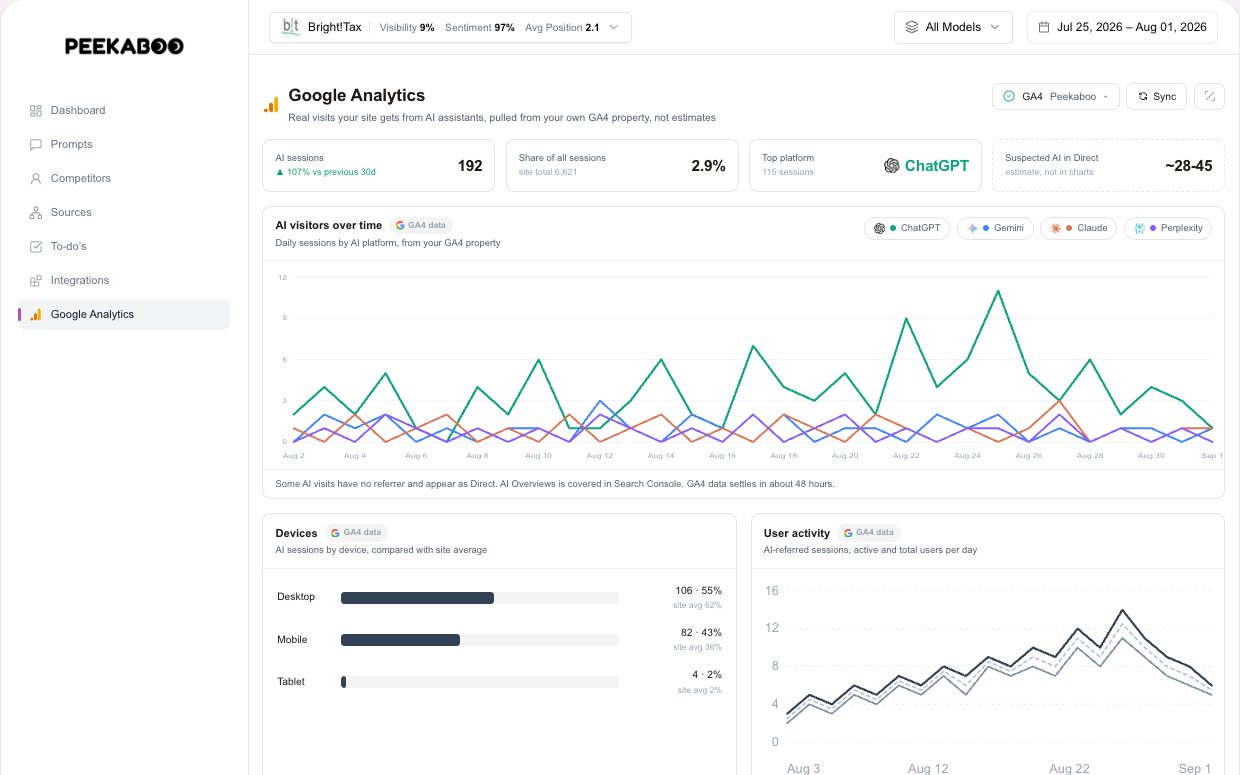
Web Analytics Integration
AI visibility, Google Search demand, and on-site behavior live in separate views. A team can celebrate a score movement without knowing whether search interest or identifiable visits moved with it.
Bring three datasets into one investigation
- Google Search Console: read-only OAuth for impressions, clicks, queries, and pages
- Google Analytics 4: read-only OAuth for traffic and referral reporting
- Looker Studio: Peekaboo community connector authenticated with a project-scoped key
See what moved together, then investigate why
Compare visibility scores with GA4 sessions and Search Console performance over the same period. A shared trend can guide investigation, but it does not prove that an AI mention caused a visit or conversion.
Keep the AI measurement consistent
Peekaboo supports ChatGPT, Gemini, Perplexity, Google AI Mode, and Google AI Overviews. Your monitoring includes the models selected in your plan or configuration.
Pay for what you track, nothing else
Move the sliders and your price updates as you go. Every plan starts at $30 a month.
Your price
The Only Plan
Updating your price…
1 brand 40 prompts checked every 2 days on 3 AI models
Free report: no credit card. Monitoring is separate. Book a demo.
Included in every plan
- Competitor share of voice
- Sentiment and framing analysis
- Citation sources per answer
- Looker Studio reporting
- Workspace seats
- Prompt suggestions built in
- White-label reportsfrom $100/mo
- Share linksfrom $100/mo
Change plans or cancel from your dashboard, any time.
Each brand gets its own prompts, competitors and dashboard.
The questions you want to rank for in AI answers.
Track fewer models and your price drops with them.
 Claude API
 Microsoft Copilot
How often we re-run every prompt across the models you track.
Want a plan that suits your budget? Adjust the number of prompts and tracking frequency
Questions, answered
How are the integrations connected?
GSC and GA4 use read-only Google OAuth. Looker Studio uses the Peekaboo community connector and a project-scoped API key. Setup time depends on Google account and property access.
Can I export to BigQuery / Snowflake?
Yes. Any account with REST API access can pull JSON into a warehouse. You can also use the supported CSV and Looker Studio exports.
Does this replace my SEO tool?
No. Use your SEO platform for search rankings and backlink workflows. Peekaboo measures answers returned by the supported AI search experiences.