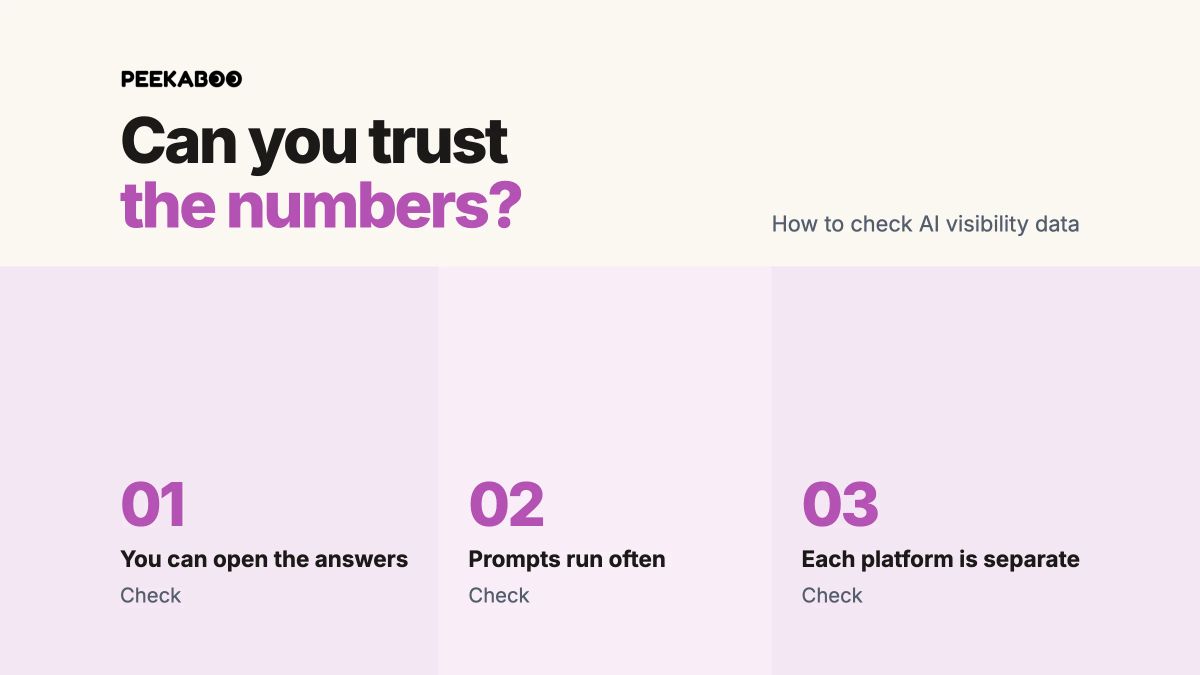
No AI visibility tool gives you an exact count because AI platforms do not publish brand-level answer data and their answers change from one run to the next, so every tool estimates visibility from a sample of prompts, runs, platforms and locations. You can trust the numbers when you can open the answers and sources behind them, prompts run often enough to reduce randomness, and each AI platform is reported separately.
Treat the dashboard as a lead: open the answers behind it before you repeat the number to anyone. If you want to measure AI visibility well, start with the quality of the sample behind the score.
Suppose your score rises 40% overnight, yet your team hasn't changed a page, earned a new mention or launched a campaign. The score may reflect a real shift. It may also reflect a different answer from the same AI platform, a platform-wide change, or a problem in the data. The number alone can't tell you which.
Why AI visibility tools cannot give you an exact number
AI answers aren't fixed search results. Ask the same recommendation question repeatedly and the brands, sources and order of the answer can change.
In a study by SparkToro and Gumshoe (Gumshoe sells AI tracking, which the authors disclose), 600 volunteers ran 12 prompts 2,961 times across ChatGPT, Claude and Google's AI results. The researchers found less than a one-in-100 chance that ChatGPT or Google would return the same brand list twice when asked 100 times. Getting the same order was rarer still.
A preprint by Ronald Sielinski reaches the same practical conclusion: single-run visibility metrics can give a misleadingly precise picture of domain performance. Many apparent differences between domains can sit inside the noise of the measurement process.
A visibility score of, say, 27.4 means your brand appeared in part of a defined set of tracked answers, under that tool's definitions and sample. It's an estimate, and unlike a Google ranking it can move when nothing on your side has changed.
Av. António Augusto de Aguiar 122C 1050-046 Lisboa, Portugal
Minnesota
202 N Cedar Ave, Suite 1 Owatonna, MN 55060, USA
The platforms' own first-party data also has limits. Google Search Console can show impressions for your pages in AI Overviews and AI Mode, while Bing Webmaster Tools' AI Performance report provides a sample of citation activity in Copilot and Bing AI summaries. Neither gives you a complete count of every answer that named your brand.
Judge the sample, not the decimal places.
Where wrong AI visibility data comes from
Misleading numbers usually begin as genuine counts without the context needed to interpret them.
Too few runs:AirOps found that only 30% of brands stay visible across back-to-back answers. A score built from one run per period mostly captures luck.
Ranking treated as a stable result: SparkToro put the odds of two answers listing brands in the same order at about one in 1,000. Track whether your brand appears, not where.
One blended score across every platform:Profound's research found very little relationship between how long a page remains visible on different AI platforms. An all-platform score can rise while the platform that matters to your buyers falls.
Different metric definitions: A mention, citation, share of voice and position aren't interchangeable. AirOps reports that only about 28% of answers both mention and cite a brand. Two tools can show different numbers because one counts mentions and another counts citations.
Changes in the platform or the tracking data: In August 2026, Promptwatch's data showed one of the websites most often cited in ChatGPT answers losing almost all its citation share in a single day, leaving it 86.4% below its earlier average. Promptwatch said a data-collection issue “cannot be ruled out” and called the size of the drop provisional. In early September, Google's AI Mode stopped citing sources and Google blamed a bug. Evertune's data showed the decline had started three weeks earlier.
Your own manual check can differ from a dashboard for another reason. OpenAI says ChatGPT search can use saved memories and approximate IP-based location information. A logged-in check from your desk is one personalized result from one location. Buyers in other markets may see a different answer.
Questions to ask any AI visibility vendor
Ask these questions before you put a score into a client report or use it to change your content plan.
Can I open the full answer and cited sources behind every number? You need to see whether your brand was actually named, how it was described, and whether the cited sources support the answer.
How many times does each prompt run, how often, and over what period is a trend calculated? A weekly trend built from repeated answers has more value than a score built from one snapshot.
Which AI platforms do you track, and do you report them separately? Google AI Overviews and Google AI Mode should appear as separate surfaces. ChatGPT, Gemini, Perplexity, Copilot and Claude also need their own reporting rather than one total.
Which country, language and location do prompts use, and can I set them for each market? A local buyer and an overseas buyer may not receive the same answer.
How do you define a mention, citation, share of voice and position? Ask what each metric includes and what it is divided by. A number without a definition can't be compared with another tool's number.
What happens to history when I edit a prompt, and how will you flag a platform change or collection problem? You need to know whether a chart reflects your brand, a changed question or a problem affecting the wider dataset.
A vendor that can't clearly answer the first question is asking you to trust a number you can't inspect.
How to check your AI visibility tool's numbers yourself
You can run a useful spot-check in an afternoon. It won't recreate a tracking system, but it will show whether the dashboard tells a believable story.
Pick five prompts that matter to your buyers. Choose commercial, comparison, problem and branded questions where appearing in an answer would mean something for your business.
Open the stored answers for those prompts in your tool. Read the full response alongside the score. Note whether your brand appears, how competitors appear, and which sources the answer cites.
Run each prompt yourself on two or three AI platforms on two or three different days. Turn off ChatGPT memory if you can, note which country you are checking from, and focus on whether your brand and competitors appear. List positions can change from one answer to the next.
Compare the direction of the tool's trend with first-party data. Use Google Search Console to track AI visibility through the generative AI performance report, which shows how often your pages appeared in AI Overviews and AI Mode. The normal Performance report folds that exposure into its Web totals, so use the dedicated report when you want the AI share on its own.
Check traffic separately. GA4's AI Assistant channel includes visits from sources such as ChatGPT, Gemini and Copilot, while Google AI Overviews and AI Mode remain inside Organic Search. When you track traffic from ChatGPT or another assistant, remember that Google's AI visits won't appear in the AI Assistant channel.
Search Console is the one benchmark here that comes from Google's own records, so treat it as your reference point for your tool's Google AI Overviews and AI Mode trend. It can't tell you every time an answer named your brand, but it can help you test whether a visibility trend is moving in the same direction as your search exposure.
When a change in your AI visibility score is real
Treat a score move as worth investigating when it holds across several prompts, on one named AI platform, for two to four weekly runs, and the stored answers show the same change. At that point, you are looking at a pattern worth acting on.
The waiting period matters because drops often reverse. AirOps found that more than half of the brands that drop out of an answer reappear within two runs.
Use this rule when you report results:
What you see
What to do
A one-day spike on one prompt
Wait for the next runs before reporting it.
A change across several prompts on one AI platform
Open the answers and investigate the pages, sources or competitors involved.
A move that holds across two to four weekly runs
Treat it as a trend and decide whether action is needed.
A move affecting every brand, including competitors, on the same date
Check for a platform or collection change before treating it as your result.
Return to the 40% overnight jump. Before celebrating it or explaining it to a client, open the answers. If your brand appears more often in the same type of buyer question over repeated runs, the increase has substance. If one changed answer created the score, wait for more evidence.
What even an accurate tool cannot tell you
No tool can tell you how many people ask a given prompt, whether a citation brought a click, or whether a mention persuaded a buyer.
Prompt-volume figures are estimates. They cannot provide a factual count of how many people ask a particular AI prompt, so they should not become a forecast for traffic, revenue or sales.
A citation is evidence of appearance rather than a measure of clicks. A mention also cannot show whether a buyer was persuaded. Monitoring shows where your brand appears and how the answer changes. It only pays off when you act on what it shows.
What a careful tool can measure well is how often you appear. SparkToro and Gumshoe found that differently worded headphone prompts still returned the same few brands 55% to 77% of the time. They also found stronger overlap in narrow categories. That makes appearance rate across repeated runs a useful metric, especially when you track specific buyer questions.
The prompts you choose remain the foundation of the work. Track questions that reflect real buyer problems and decisions, then use the answers and sources to decide what needs to change.
What this means for agencies reporting AI visibility to clients
Agencies should report AI visibility as a trend for each platform, supported by evidence. A weak sample repeats its error across every client dashboard, and a single headline score hides it. Reporting per platform, with answers attached, lets the client see it.
Show each platform separately. Include a small number of example answers when a change matters. Explain whether the movement held over repeated runs and whether competitors moved on the same date. Clients can then judge the result for themselves.
Good AI visibility monitoring for agencies also needs a realistic expectation: weekly numbers can wobble. Weekly tracking is a sensible minimum for spotting patterns, but it isn't a promise that every week will show a clean upward line.
If you're choosing a platform, compare AI brand visibility checkers by the measurement job you need done. The best tool is the one that lets you inspect the answer, understand the metric and explain the trend to the client.
How AI Peekaboo helps you check the numbers
AI Peekaboo keeps the answers and cited sources behind every score, so you can open the evidence behind any movement before you report it. You choose up to seven AI platforms and see each one separately: ChatGPT, Gemini, Perplexity, Google AI Overviews, Google AI Mode, Microsoft Copilot and Claude API.
You can choose monthly, weekly, every-three-days, every-two-days or daily prompt runs. AI Peekaboo reports share of voice and sentiment by prompt and platform, with read-only Google Search Console and GA4 connections alongside the AI data. Agencies can use read-only client links and white-label reports from $100 a month. Plans start at $30 a month.
Through the MCP server, you can also check those numbers from Claude Desktop, Claude Code or Cursor, with the answers and sources attached.
A free AI visibility report gives you a quick first look at where your brand appears today. It needs no card and provides a one-time report rather than ongoing monitoring.
How we checked this
Last checked: 18 October 2026.
Sources included Google US search results, OpenAI, Google Search Central, Search Console, GA4 and Bing Webmaster documentation, plus original research and published analysis from SparkToro and Gumshoe, Ronald Sielinski, AirOps, Profound, Promptwatch and Evertune.
Frequently asked questions
How accurate are AI visibility tools?
They are accurate only to the quality of their sample. AI answers change from one run to another, so a tool that repeats prompts, separates AI platforms and shows the answers behind each metric can provide a fair estimate. A score based on one run is too unstable to treat as a reliable result.
Why do two AI visibility tools show different numbers for my brand?
They may track different prompts, platforms, locations and numbers of runs. They may also define mentions, citations and share of voice differently. Both tools can be reporting their own samples correctly while measuring different things, which is why metric definitions and raw answers matter.
How many times should a prompt run before I trust the result?
Dozens of times, not once: SparkToro's research suggests 60 to 100 runs to see a stable set of recommendations. How often your brand appears can settle sooner in a narrow category where the same few brands keep coming up. Treat one result as a sample, then look for a pattern across repeated runs.
Can I check AI visibility without a tool?
Partly. Search Console can show impressions for your pages in AI Overviews and AI Mode, while GA4 can show visits from AI assistants. Neither tells you every time an answer named your brand, so manual spot-checks or a tracker are needed to see brand mentions and cited sources.
Start with your own visibility.
See where your brand appears in AI answers and which competitors get mentioned.
 Filipe Lins Duarte